
Model evals · menu
Dashboard
Model evals
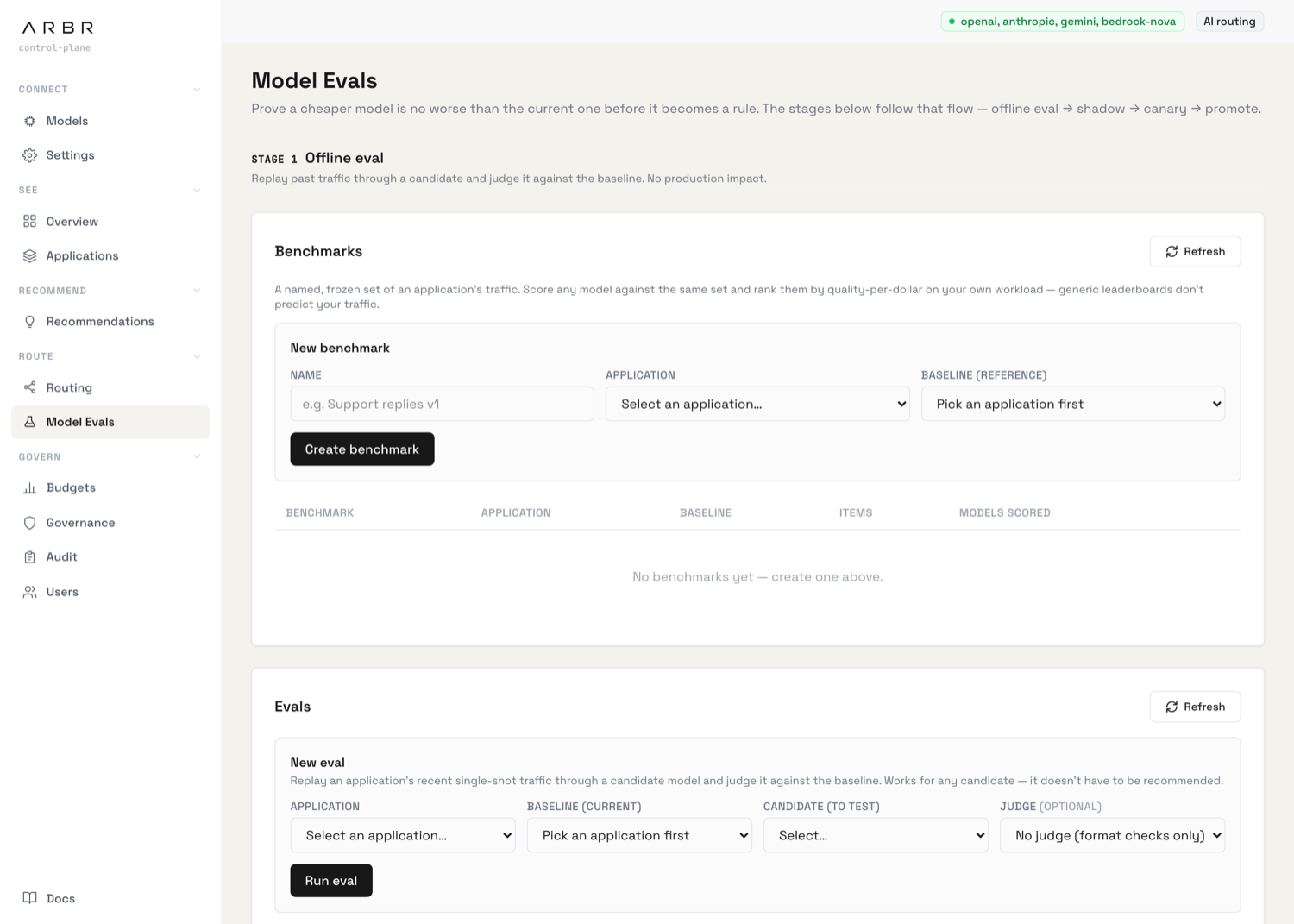
Prove a cheaper model is no worse than the current one before it ever serves real traffic. Model Evals (sidebar → Route → Model Evals) is a pipeline: test offline, then shadow live traffic, then canary a small slice, then promote.
The four stages
| Stage | What happens |
|---|---|
| 1 · Offline eval | Replay past traffic through a candidate and judge it against the baseline. No production impact. |
| 2 · Shadow | Mirror a sample of live traffic to the candidate without serving its responses, judged against the current model. A real-traffic check with no user impact. |
| 3 · Canary | Send a small slice of real traffic to a proven candidate, auto-rolling back if it breaches a guardrail. |
| 4 · Promote | Make the winning candidate a routing rule. |
At the top, an Adoption panel tracks the production-truth signal: how many recommendations were accepted or dismissed, how many canaries were promoted or rolled back, and how many changes were pushed through without a passed eval.
Benchmarks
A benchmark is a named, frozen set of one application's traffic. Score any model against the same set and rank them by quality-per-dollar on your workload, since a generic leaderboard doesn't predict your traffic.
Create one under New benchmark (Name, Application, and a Baseline model that actually served that app). Open it to reach the leaderboard, ranked by quality per dollar. From there you can:
- Score a model against the set, optionally with a judge. Suggested candidates (connected models cheaper than the baseline, not yet scored) appear as one-click chips.
- Weight the results with cases: pin specific requests and mark each trivial, normal, or critical. Critical cases count more toward the worse-rate.
The leaderboard's Judge check column flags whether the judge showed position bias (unbiased / some bias / biased), so you can trust or discount its verdict.
If the judge and the candidate share a model family, Arbr warns you. A model judging its own family tends to favour it. Prefer a different-family judge for an honest verdict.
Running an offline eval
An eval replays an application's recent single-shot traffic through a candidate and judges it against the baseline. It works for any candidate, not only recommended ones.
Under New eval, pick the Application, the Baseline (current) model, the Candidate to test, and optionally a Judge (without one, it does format checks only). Click Run eval. The run appears in the table below. Refresh for the verdict.
Reading the outcome
An eval outcome is a real result, not a pass/fail switch. The vocabulary matters:
| Outcome | Meaning |
|---|---|
| Safe to switch | The candidate held up. Take it down the pipeline. |
| Not recommended | A valid result: the candidate was measurably worse. |
| Inconclusive | Nothing could be judged (often no judge, or no usable output). |
| Couldn't complete | The run errored before finishing. |
| Queued / Running | Still in progress. |
Open Evidence on any run to see the judged / worse-rate / format-pass / cost-saving tiles, the summary, and the worst candidate examples with the judge's rationale. You can override the judge on any example (mark it better, equal, or worse), which re-scores the run, and Export CSV for the full record.
Shadow campaigns
A shadow campaign mirrors a sampled slice of an application's live traffic to a candidate without serving the candidate's responses, judges candidate against current, and notifies you when it looks safe to switch.
Under New shadow-eval campaign, set the Application and Candidate, an optional Judge, a sample rate, a min pairs to notify, and a max loss rate. Starting a campaign requires a passed offline eval first. If you don't have one, an override dialog asks for a reason. The campaign detail shows win / tie / loss, cost and latency deltas, and recent judged pairs you can inspect side by side.
Canary and promote
A canary sends a small, deterministic slice of auto-routed traffic to an eval-approved candidate, and auto-rolls-back the moment it breaches a guardrail (error rate, latency, cost, or worse-rate). Each experiment shows its rollout percentage, scope, and live error rate and cost saving.
When you're satisfied, Promote turns the canary into a routing rule. Roll back ends it and records the reason. A passed eval or an accepted recommendation is what starts a canary.
The Recommendations page uses this exact pipeline: accepting a recommendation walks it through build-dataset → run-eval → start-canary. For the governance side of rollouts (budgets and guardrails), see Governance & administration.